Read time: 3 Min
With the fast-growing dependency on cloud servers, many users are looking for methods to move their Outlook emails to the cloud. Zoho Mail is one such fast-growing email service due to its secure environment and easy accessibility. However, as we know, Outlook OST file is designed for offline use and are tied to the Outlook profile, making it difficult to access or migrate directly. Here comes the need to import OST to Zoho Mail.
To make it easy for you, today in this post, we will discuss the best and secure way to import OST to Zoho Mail account.
How to Import OST to Zoho Mail Manually?
As we know, the OST file is linked to the original Outlook profile that was used to create it. Thus making it impossible to use this OST file beyond the Exchange environment. Therefor there is no direct method to migrate OST file to Zoho Mail. To complete the migration, you need to;
- First, convert OST emails to PST file
- Then, import PST file into Zoho Mail
Let’s check it out in a complete detailed process.
Step1: Convert OST to PST using Outlook
In order to convert OST file to PST, you must follow the steps:
- Open Outlook and go to File > Open & Export > Import/Export.
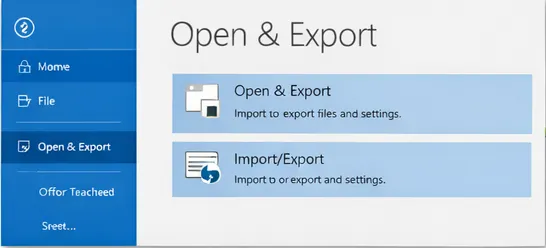
- Select Export to a File and click Next.
- Choose Outlook Data File (.pst) and press Next.
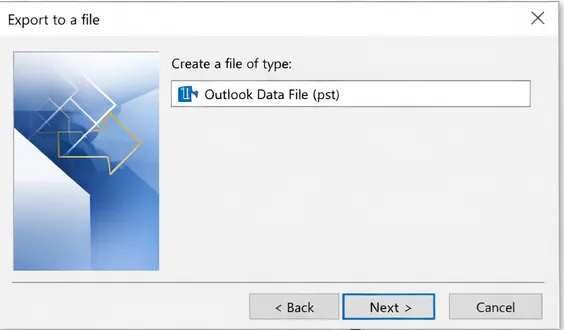
- Select the folders you want to export.
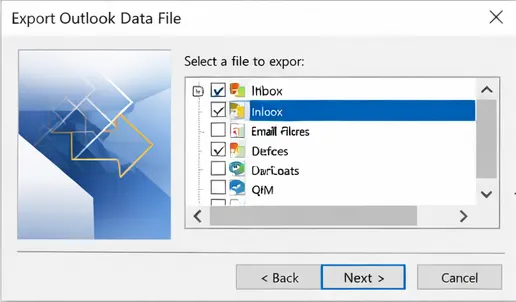
- Choose a location to save the exported PST file and click the Finish button.
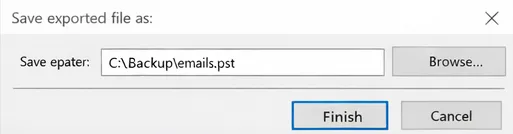
Step 2: Import PST to Zoho Mail via IMAP
- Log in to your Zoho Mail account.
- Click on Settings options from the top right corner.
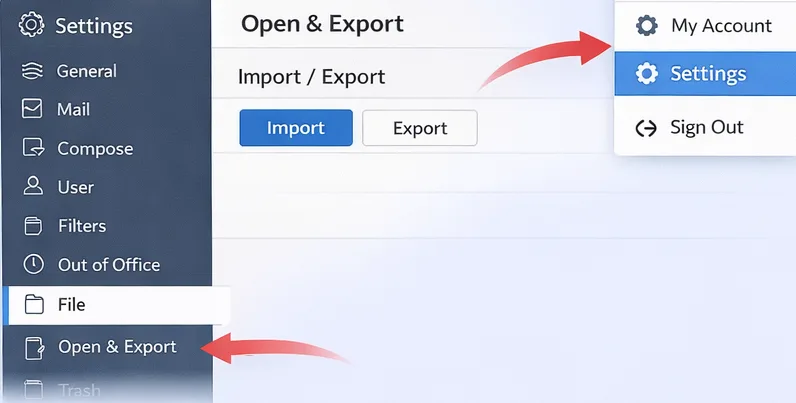
- Go to File > Open & Export > Import/Export.
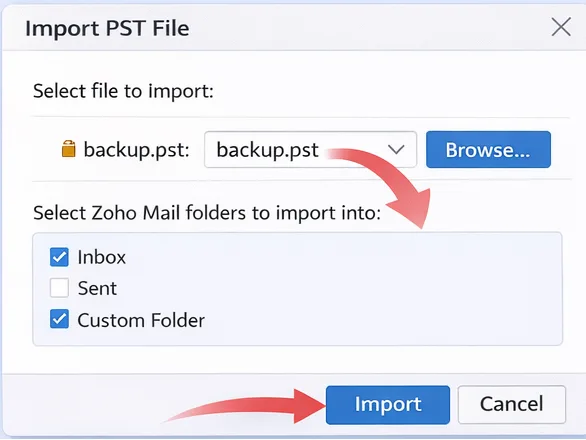
- Select the PST file that you exported above.
- Choose Zoho mailbox folders and complete the process.
Limitations of Manual OST to Zoho Migration
Although this method works perfectly, it requires precision. There are some drawbacks as well, like:
- This method is time-consuming.
- Admin access & sound technical knowledge are required.
- The import feature is not available in personal accounts of Zoho Mail.
- Doesn’t allow filtering emails during import.
- In many cases, large PST files may cause errors or fail to upload.
How to Import OST File to Zoho Mail Instantly?
Since there is no direct method to migrate Outlook OST email data to Zoho Mail, there is a need for expert software. One such tool is the BLR OST to PST Converter tool. The software will effortlessly transfer all the important data from your OST file into Zoho Mail. The OST Converter tool supports transferring orphan, damaged, and corrupted OST file without losing your data.

Additionally, while importing the emails, this application maintains the folder hierarchy and structure. If you think that your OST file has duplicate emails, then you can also delete them. Download the demo version of this tool and know its complete working process.
Conclusion
Migrating Outlook OST emails to Zoho Mail can be challenging due to the dependency of the OST file on the Exchange Server. With the right tools and approach, it is easy to migrate emails from OST file to Zoho Mail account. In this post, we have discussed a secure and efficient way to move all data from OST file into Zoho mailbox with ease.