Read time: 4 Min
Have you ever tried to open OST file without Outlook application? If yes, then you must know that it’s not possible. The more challenging part is if the OST file that you are trying to convert is orphaned.
Don’t worry, in this post, we will discuss the best way to convert OST to PST without Outlook. This guide also includes the step-by-step process of OST to PST conversion and measures you take for a smooth email exporting.
Things to do Before Starting the Conversion
There are a few steps you need to follow before converting OST to PST without Outlook. Here are the things –
- Firstly, find the OST file location in Windows. Here is the path –C:\Users\YourName\AppData\Local\Microsoft\Outlook.
- Make sure you have an exact copy of your OST file.
- Check the size of the OST file; if it is large, then rely only on expert tools.
- Confirm account type: Exchange/IMAP. There is a chance that they may be allowed server-side recovery.
Now, here are the steps to export OST emails to PST file without Outlook installation.
How to Convert OST to PST File?
Here are a few solutions for the OST to PST conversion without needing Outlook. Look at them and choose which one you find right for you.
Method 1: Using Exchange Admin (for office IT or admins)
If your company is still using Exchange Server and you are an admin (or can ask IT), follow the steps –
- Log in to the Exchange Admin Center (web panel for admins).
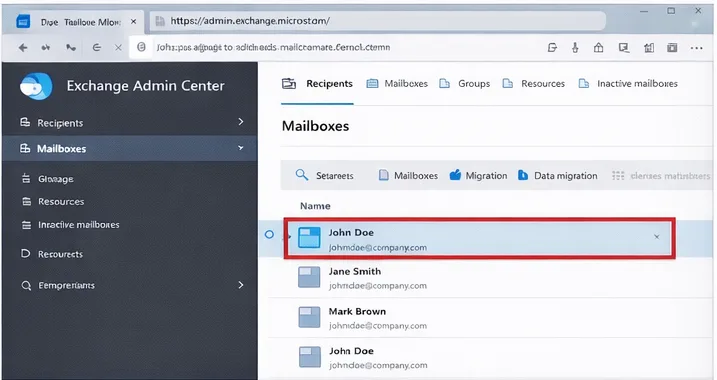
- Pick the mailbox you want to export.
- Select Export to PST.
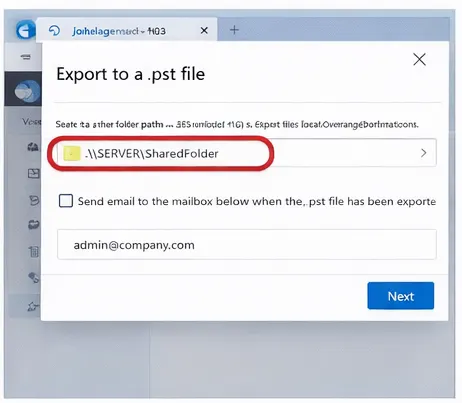
- Choose where to save it (usually a shared folder or network location).
- Download the PST once it’s ready.
Method 2: Using eDiscovery tool of Microsoft 365
You can also use the eDiscovery tool of Microsoft 365 to convert OST to PST without Outlook. Here are the steps –
- Go to the Microsoft Compliance Portal online.
- Create a search for the mailbox you want to export.
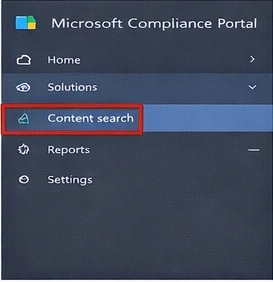
- Run the search, then click Export to PST.
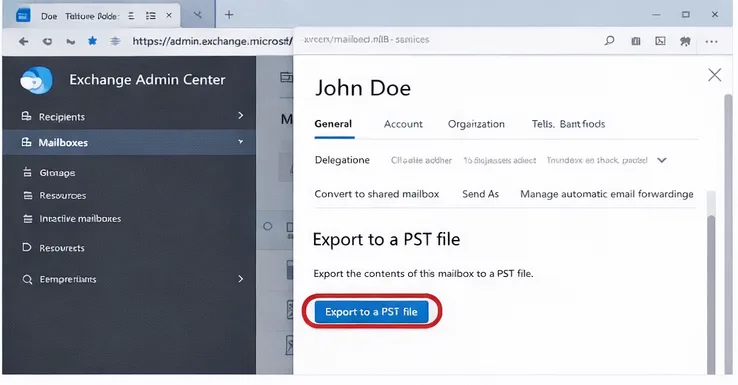
- Download the file with Microsoft’s export tool.
- Export OST File to PST Without Outlook.
Done! Here are the manual steps for OST to PST conversion without Outlook installation. However, these manual solutions required technical knowledge or assistance. However, using the export tool, you can easily complete the process without any hassle.
Method 3: Convert OST to PST using Automated Tool
If the OST file you are trying to convert is not from the same profile or Outlook is not in use, then you need a secure tool. BLR OST to PST Converter software is the best way to convert emails from orphaned and inaccessible OST file data. OST to PST conversion software will effortlessly convert your emails without affecting data integrity. All you need to do is add the OST file and choose the PST as an export option. Most importantly, your data will be secure while converting emails. Experience the conversion process with the software demo version.

Common Problems Faced When Convert OST to PST
- OST file is damaged and won’t open: A corrupted or damaged OST file can be difficult to handle, a single mistake and you lose years of your data. Find a secure and efficient tool that can fix corrupted OST file without affecting your data.
- Large OST File: As mailbox data grows over time, the Outlook OST file too large issue may occur, affecting Outlook’s speed and overall stability. So, to avoid any issue, it is best to split large OST file into smaller .pst files during export.
- Data Missing: If not use the correct method to convert OST to PST without Outlook, then some of the data can be missing. Find the right solution for you and export your data.
- Free Solutions are risky: If you are looking for a free way to convert .ost to .pst without Outlook, then it can risk your data. Try to use a secure and efficient solution that can handle your data securely.
Conclusion
This article explains the free methods to convert OST file to a PST file for backup and other business needs. However, there are situations when Outlook doesn’t open or the email profile is deleted you cannot access the OST file. To counter such situations, a professional OST to PST Converter is required to export OST file to PST.